
Telenor Advance Balance Code 2026 — Get Rs. 15 Emergency Loan Instantly With *0#
Get instant emergency credit with the Telenor Pakistan advance balance code (*0#), no apps, no delays, just quick access when you need it most.
Learn how to activate via My Telenor App or Easypaisa, plus charges, eligibility, and tips to stay connected anytime.
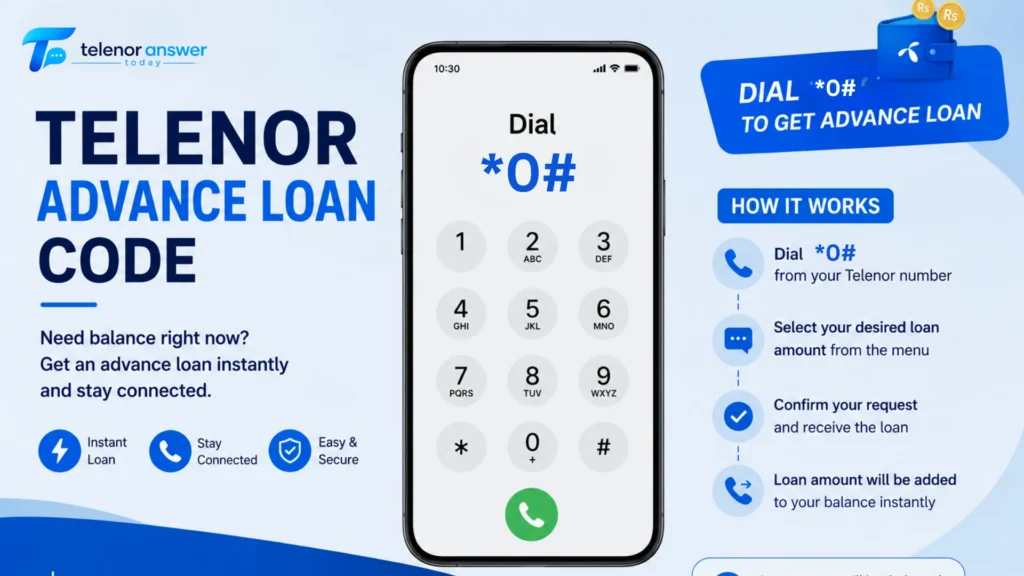
Your Telenor balance hits zero at exactly the wrong moment. No shop nearby, no time to top up online, no one to ask. This is the situation the Telenor advance balance service was built for, and it solves it in under five seconds.
One code, *0#, and Rs. 15 emergency credit lands in your account immediately. No registration, no waiting, no paperwork. The amount is recovered automatically from your next recharge, along with a small service charge. That’s the whole system.
This guide covers everything: the code, the charges, who qualifies, three ways to activate, six specific reasons *0# fails and their exact fixes, and what to do after you receive the advance.
⚡ The short answer
Dial *0# from any eligible Telenor prepaid SIM → Rs. 15 credited instantly → approx. Rs. 19–20 auto-deducted from your next recharge (Rs. 15 principal + Rs. 3.5 service charge + tax). Eligibility: SIM active for 30+ days, recharged within the last 30 days, and no outstanding unpaid advances.
What Is Telenor Advance Balance? — Plain Explanation
Telenor advance balance, also called the Telenor emergency loan, balance loan, or advance credit, is a micro-credit feature built into every eligible prepaid SIM. You borrow Rs. 15 right now, and Telenor recovers it automatically the next time you top up: no application, no approval process, no separate repayment step.
The system works on every type of phone, basic keypad handsets, feature phones, and all smartphones on 2G, 3G, or 4G. As long as you have a signal and your SIM passes the eligibility check, the entire transaction takes under ten seconds.
| Detail | Information |
|---|---|
| Service name | Telenor Advance Balance / Emergency Loan / Balance Loan — all refer to the same service |
| Advance amount | Rs. 15 (standard) — some accounts eligible for Rs. 30 or Rs. 40 via My Telenor App |
| Activation code | *0# |
| Service charge | Rs. 3.5 fixed + applicable taxes |
| Total repayment | Approx. Rs. 19–20 (deducted automatically from next recharge) |
| Repayment method | Auto-deducted on next top-up — no manual step required |
| SIM type | Prepaid only — not available on Telenor postpaid accounts |
| Works on | All phones — keypad, feature phone, smartphone — 2G / 3G / 4G |
📌 Note on loan tiers
Dialling *0# always gives the standard Rs. 15. Promotional offers of Rs. 30 or Rs. 40 appear for accounts with a stronger recharge history, but only inside the My Telenor App under My Account. Check the app first if you need more than Rs. 15; the code alone won’t show you a higher offer.
Who Qualifies — Full Eligibility Rules for 2026
Telenor runs an automatic eligibility check the moment you dial *0#. If your SIM fails, the request is rejected instantly. Knowing these rules upfront tells you whether you qualify right now, and what to fix if you don’t.
Requirements to Qualify
| Requirement | What Telenor Checks | What Happens If You Fail |
|---|---|---|
| Prepaid SIM only | Account type must be prepaid | Postpaid users are permanently ineligible — no workaround exists |
| SIM age: minimum 30 days | Days since first SIM activation | Request rejected — wait until the 30-day mark, then eligibility is automatic |
| Recharged within last 30 days | Date of most recent top-up | Rejected as inactive — make any recharge (Rs. 30 minimum) to reset status |
| No outstanding unpaid advance | Existing advance balance not yet repaid | Cannot take a second advance — recharge clears the debt, eligibility restores immediately |
| SIM not suspended or barred | PTA or Telenor account status | USSD services blocked — contact 345 to restore the account first |
One important clarification: The 90-day SIM requirement only applies to higher promotional advance amounts (Rs. 30 / Rs. 40) available through apps. For the standard Rs. 15 advance via *0#, you only need 30 days of active SIM usage, not 90 days.
Users Who Cannot Access Advance Balance
- Postpaid subscribers — advance credit is a prepaid-only feature, no exceptions
- SIMs activated within the past 30 days — new numbers need time to build eligibility
- Accounts with an unpaid advance already active — recharge to clear, then re-request
- SIMs suspended by Telenor or barred by PTA — restore service through customer care first
How to Get Telenor Advance Balance — 3 Methods
Three separate ways to activate the service. The USSD code is the fastest and works on every phone. The app reveals promotional higher-amount offers. Easypaisa is the backup option most users never know about, and none of the competitor articles in this space mentions it.
Method 1 — USSD Code *0# (Fastest, All Phones)
- Open your phone’s dial pad
- Type *0# exactly, no spaces, no dashes, no extra characters
- Press the Call or Send button
- A confirmation appears on screen within 5 seconds
- Rs. 15 is credited to your balance immediately
This works on every phone, Rs. 15 old Nokia, mid-range Android, or iPhone. No internet connection required. No app needed. It goes directly through Telenor’s network, so it is the most reliable activation method in any situation.
Method 2 — My Telenor App (Check for Higher Offers First)
- Download the My Telenor app free from the Google Play Store or the Apple App Store
- Log in with your Telenor number, OTP arrives by SMS within 30 seconds
- On the home screen, tap My Account
- Select Advance Balance or Emergency Loan
- The app shows your personalised eligible amount, confirm if the offer suits you
- Tap Get Loan, Rs. 15, Rs. 30, or Rs. 40 credited instantly, depending on your account
Why check the app first: Accounts with a consistent recharge history often qualify for Rs. 30 or Rs. 40 promotional advances that *0# does not unlock. The app shows your exact eligible amount before you commit, something the USSD code never does.
Method 3 — Easypaisa App (The Backup Nobody Mentions)
- Open the Easypaisa app on your smartphone
- Go to Mobile Load → Get Advance (label may show as Emergency Balance in some versions)
- Select your registered Telenor number
- Confirm, the advance is credited to your Telenor SIM balance directly
Easypaisa is a genuine alternative when *0# returns errors or the My Telenor App is not loading. It is hidden in plain sight for users who need it most.
📱 Which method to use when
Need it right now on any phone → dial *0# | Want to check if you qualify for Rs. 30+ → open My Telenor App first | *0# returning an error and app won’t load → try Easypaisa | Zero signal → move to a coverage area first, then try any of the three methods
Exact Charges — What You Borrow and What You Pay Back
The advance is not free. Telenor earns a service fee on every advance. The numbers are small but worth knowing exactly, especially the repayment deduction order, which catches users off guard.
| Item | Amount | Notes |
|---|---|---|
| Advance received | Rs. 15 | Credited to your account the moment you confirm |
| Service charge | Rs. 3.5 | Fixed fee regardless of how fast you repay |
| Taxes (approx.) | ~Rs. 0.50–1 | FED and withholding tax on the service charge |
| Total deducted on recharge | ~Rs. 19–20 | Full amount cleared from your very next top-up |
| Repayment trigger | Any recharge | Even Rs. 30 triggers full advance deduction first |
| Manual repayment needed | No | Auto-deducted — no separate step required |
A practical example worth knowing: if you recharge Rs. 100 while an advance is outstanding, Telenor deducts the advance amount first, leaving you with approximately Rs. 80–81 in usable balance. If you plan to activate a bundle immediately after recharging, check your balance after the top-up lands; the available amount will be lower than what you recharged.
What Happens If You Never Repay?
The advance does not expire. Telenor does not suspend your SIM, send collection notices, or add penalty fees for late repayment. However, every recharge you make will auto-deduct the outstanding advance first; there is no way to skip it. More importantly, you cannot take another advance until the current one is cleared. So, indefinitely carrying an unpaid advance simply means you permanently lose access to the service until you top up.
Why *0# Is Not Working — 6 Specific Reasons and Exact Fixes
Most Telenor error messages are vague. ‘Service not available’ tells you nothing useful. Here are the six actual reasons the advanced code fails, what each one looks like, and exactly what to do.
| Reason | Error You See | Exact Fix |
|---|---|---|
| Unpaid existing advance | ‘Request cannot be processed’ or ‘Service not available’ | Recharge your SIM — even Rs. 30 clears the outstanding advance and restores eligibility immediately afterward |
| SIM under 30 days old | ‘You are not eligible for this service’ | Wait until day 30 from first SIM activation — eligibility activates automatically, no action required |
| No recharge in past 30 days | ‘Inactive account’ or eligibility denial | Make any recharge (Rs. 30 minimum) to reset your active status, then dial *0# again |
| Postpaid account | ‘Service not available for your account type’ | No fix — advance balance is prepaid-only. Postpaid users should contact 345 for emergency credit options |
| Temporary network issue | Code dials but no response, or generic error | Switch from 4G to 3G mode, restart your phone, wait 2 minutes, then try *0# again |
| Suspended or barred SIM | No response or ‘Your SIM is suspended’ | Contact Telenor at 345 to restore service — suspended SIMs cannot access any USSD feature |
✅ The fix that solves most cases
In the majority of *0# failures, the reason is an existing unpaid advance. One recharge, even Rs. 30, clears it. Eligibility restores the moment the advance is paid off, so you can request the same day again if you still need emergency credit.
What to Do After Getting Your Advance Balance
Rs. 15 is not a lot. Using it well for the period between now and your next recharge means knowing what it can and cannot do.
What Advance Balance Covers
- Outgoing calls to Telenor, Jazz, Zong, Ufone, and PTCL landlines at standard rates
- SMS to any network at the standard per-message rate
- Mobile data at the standard rate per MB, useful for a quick check but expensive without a bundle
- Activating a small daily bundle if the Rs. 15 is sufficient for that specific pack
What an Advance Balance Cannot Do
- Activate most weekly or monthly packages — Rs. 15 is below the minimum for the majority of bundles
- Extend the validity of an expired data bundle — it is a raw balance, not a package extension
- Be shared or transferred to another number via balance share
- Cover two simultaneous emergencies — one advance at a time only
After You Repay — One Thing Worth Doing Immediately
Once you top up and the advance is cleared, your balance is fresh. This is the right moment to activate the Telenor balance save code (*7799#), which blocks your main balance from being silently drained by background data sessions or forgotten subscriptions when your active internet bundle expires. It costs nothing to activate and keeps your balance intact between recharges, which reduces how often you need emergency credit in the first place.
One more thing: if your SIM has been inactive for a long time and *0# is failing because of an eligibility issue, the Telenor SIM Lagao offer restores your account. Full details are on our dedicated SIM Lagao offer page.
Telenor Advance Balance vs Jazz, Zong & Ufone — Quick Comparison
All four major Pakistani mobile networks offer some form of emergency balance. Here is how they compare, so you know which SIM to reach for first in a genuine emergency.
| Network | Code | Advance Amount | Service Charge | Repayment |
|---|---|---|---|---|
| Telenor | *0# | Rs. 15 | Rs. 3.5 + tax | Auto on next recharge |
| Jazz | *112# | Rs. 15 | Rs. 3.0 + tax | Auto on next recharge |
| Zong | *100# | Rs. 10 | Rs. 2.39 + tax | Auto on next recharge |
| Ufone | *456# | Rs. 10 | Rs. 3.0 + tax | Auto on next recharge |
Telenor and Jazz both offer Rs. 15, the highest standard advance amount across all four networks. Telenor’s service charge is Rs. 0.50 higher than Jazz’s, but the advance amount is 50% more than Zong’s or Ufone’s. For emergencies where the amount matters more than the charge, Telenor or Jazz are your best-positioned SIMs.
Frequently Asked Questions
Final Thoughts — Keep *0# Memorised, Use It Wisely
The Telenor advance balance service is genuinely useful in the right situation. One code, five seconds, Rs. 15 in your account with no paperwork, no waiting, and no formal process. But it works best as a genuine emergency tool, not a routine way to manage your balance. The Rs. 3.5 plus tax is affordable once in a while; monthly or weekly reliance on advance credit is a signal that your recharge schedule needs adjusting more than your emergency access does.
Three habits keep you ahead: memorise *0# for genuine emergencies, recharge promptly after using an advance to restore eligibility for next time, and activate *7799# after every fresh recharge to protect your balance from silent deductions. Those three steps together mean you need the advance less often, and when you do need it, it works the first time.
Muhammad Ali is the writer behind Today Telenor Answer, where he shares daily Telenor quiz answers, balance codes, and helpful telecom tips for users in Pakistan. With years of experience, he focuses on providing clear and easy-to-understand information. He keeps content updated and ensures users get accurate and useful guides for their everyday mobile needs.