
Telenor Load Reversal Code 2026 — Get Your Wrongly Sent Balance Back
Sent load to the wrong number? Don’t panic, Telenor Pakistan provides a quick reversal option that can help you recover your balance within minutes.
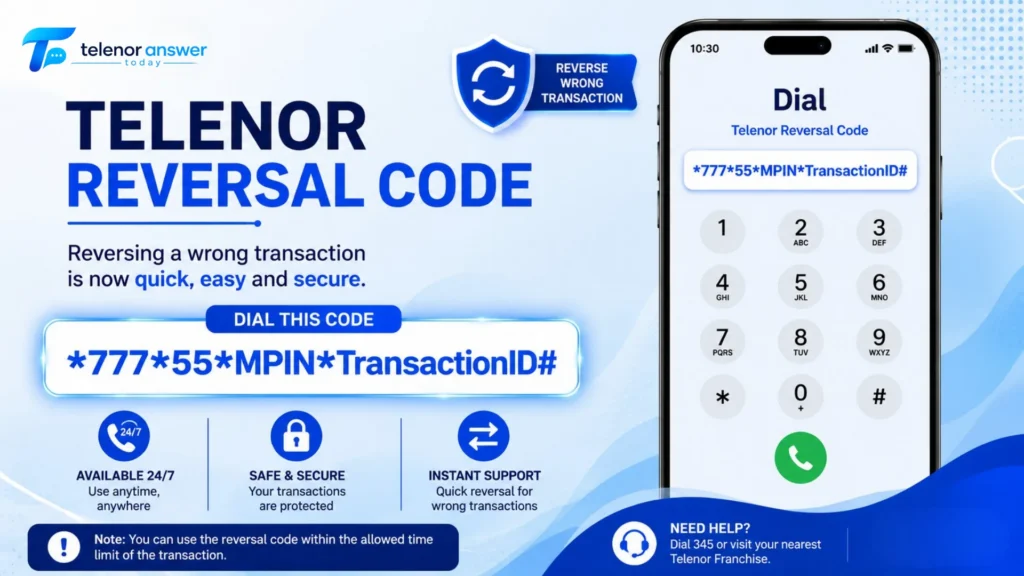
Act fast using the 77755# reversal code with your MPIN and Transaction ID to maximise your chances before the balance is used.
You typed one digit wrong, hit send, and watched your balance disappear into a stranger’s phone. It happens constantly across Pakistan’s prepaid networks: a retailer mishears a number, a customer fat-fingers the last digit, a contact name gets confused with someone else’s. Telenor actually built a proper recovery path for this exact situation, and most people never use it because they don’t know it exists or assume it is already too late.
This page covers the real reversal code, the actual time window you have (not the vague “act fast” advice most guides give), what happens when the code fails, and the parts of this process that nobody else explains clearly, like why the reversal sometimes silently fails even when you did everything right.
The Telenor Load Reversal Code — Quick Answer
| Detail | Information |
|---|---|
| Reversal Code | *777*55*MPIN*TransactionID# |
| Example | *777*55*2345*TX123456# |
| Where to Find MPIN & Transaction ID | Confirmation SMS received at the time of the original load transfer |
| Processing Time | Usually 5–15 minutes |
| Time Window | Must act before the recipient uses the balance — typically within minutes to a few hours |
| Service Charge | A small tax or service charge may apply |
| Backup Method | Call 345 (Telenor helpline) and provide MPIN + Transaction ID to an agent |
⚡ Act Immediately: Telenor load reversal only works if the receiving number has not yet spent the balance. There is no fixed, guaranteed window; it depends entirely on how fast the other person uses the money. Every minute you wait lowers your chances. Stop reading the rest of this page and dial the code first if you have your Transaction ID ready. Come back for the troubleshooting sections after.
How Telenor Load Reversal Actually Works
Telenor’s reversal system is not magic; it is a request, not a guarantee. When you dial the reversal code, you are asking Telenor’s system to check whether the transferred balance is still sitting untouched on the recipient’s account. If it is, the system pulls it back to you. If the recipient has already spent even part of it, the reversal either fails outright or returns only what remains.
This single fact explains almost everything people find confusing about this process. A reversal code that worked perfectly for your cousin last month might fail for you today, not because the code changed, but because the timing was different. Two identical mistakes, two completely different outcomes, purely based on how fast money moves on the receiving end.
What You Need Before You Start
- Transaction ID: a unique reference number sent to you by SMS immediately after the original transfer. This is not optional; Telenor cannot process a reversal without it.
- MPIN: your mobile PIN, set when you first registered for Easyload or mobile banking services on your Telenor number.
- The exact amount sent: useful to have on hand if you end up speaking to a support agent, since they may ask you to confirm it as a verification step.
Step-by-Step — Reversing a Wrong Telenor Load
Method 1: USSD Reversal Code (Fastest)
- Open your phone’s SMS inbox and find the confirmation message from your original load transfer
- Copy the Transaction ID exactly as written, no spaces, no extra characters
- Open your dialer and type *777*55*MPIN*TransactionID#, replacing MPIN and TransactionID with your actual values
- Press call/dial
- Wait for the on-screen or SMS response confirming the request was received
- Check your balance after 5–15 minutes to confirm whether the funds have returned
If you are a Telenor Easyload retailer rather than a regular subscriber, the same code format applies, but you will use your retailer MPIN instead of a personal one. Retailers should double-check the transaction ID from their retailer-side confirmation message, since the format can look slightly different from a customer-side SMS.
Method 2: Call the Telenor Helpline
If the USSD code returns an error, doesn’t go through, or you simply don’t trust typing the string correctly under pressure, calling is the safer fallback.
- Dial 345 from the Telenor number that sent the wrong load
- Tell the representative you sent the balance to the wrong number and need a reversal
- Provide your Transaction ID and MPIN when asked
- The agent verifies your details and initiates the reversal manually
- You will receive an SMS once the request completes, usually within 10–15 minutes
📞 Helpline Reality Check: The helpline is genuinely useful when the USSD code fails, but expect hold times during peak hours (especially evenings). If you are in a real hurry and have your Transaction ID ready, try the USSD code first since it requires no waiting in a queue.
Method 3: Visit a Telenor Franchise
This is the slowest option but the most reliable when the other two fail or when something about the transaction looks unusual to Telenor’s automated systems (large amount, repeated mistakes, account flags). If you’re worried about missing calls while waiting for your reversal, see our call forwarding guide to redirect calls temporarily.
- Bring your original CNIC; no other identification is accepted
- Bring the SIM or phone used to send the original load
- Bring a screenshot or a copy of the transaction confirmation SMS
- A staff member verifies your identity and manually files the reversal request
How Much Time Do You Actually Have?
This is the part most articles get vague about, and it matters more than anything else on this page. There is no fixed Telenor-published countdown like “you have exactly 2 hours.” What actually determines your odds is a race condition: has the recipient opened their phone and spent the money yet?
In practice, this breaks down into three rough scenarios based on what telecom support patterns suggest:
| Scenario | Recovery Likelihood | Why |
|---|---|---|
| Reversed within 2–5 minutes | High | The recipient likely hasn’t noticed the credit yet |
| Reversed within 30–60 minutes | Moderate | Risk increases if the recipient is actively using their phone |
| Reversed after several hours | Low to none | Balance is very likely already spent on calls, data, or bundle purchases |
| Reversed after 24+ hours | Very low | Most guides cite this as the practical outer limit — some sources mention a 24-hour reporting window as a soft cutoff |
If you are reading this with the mistake already a day old, it is still worth trying the code or calling 345; recovery is not guaranteed to be impossible, but your odds drop sharply the longer the balance has been sitting on someone else’s account.
Why the Reversal Code Sometimes Fails — Explained Properly
Most pages covering this topic stop at “if the receiver used the balance, reversal won’t be possible.” That’s true, but it is only one of several failure points. Here is the fuller picture based on how these USSD-driven balance systems generally behave across telecom networks:
1. Partial Spend, Not Full Spend
People assume reversal either works completely or fails. In reality, if the recipient spent half the balance on a phone call before you reversed it, Telenor can sometimes return only the unused portion. Don’t be surprised if the amount that comes back is less than what you sent. This is the system working correctly, not a bug.
2. Transaction ID Mismatch
A single wrong digit in the Transaction ID, easy to make when copying from a small SMS notification, causes an instant rejection. Double-check character by character, especially zeros versus the letter O, before dialling.
3. MPIN Lockout
If you enter the wrong MPIN multiple times, trying to remember it, some Telenor services temporarily lock the PIN-based functions on your account as a security measure. If this happens, you will need to visit a franchise with your CNIC to reset it before any reversal code will work again.
4. Recipient Number No Longer Active
If the wrong number you sent has since been deactivated, ported, or recycled to a new owner, the reversal process can stall because Telenor’s system cannot verify the current balance state on that line.
🔧 If All Methods Fail: Visiting a franchise in person remains your strongest option when USSD and helpline both fail to resolve it. Bring everything listed in Method 3 above, and be honest with the staff about exactly what happened. The more accurate the timeline you give them, the better they can trace the transaction internally.
Preventing This Mistake Next Time
Recovering from a wrong transfer is stressful enough once. The fastest way to never deal with this page again is to build one habit: verify before you send, every single time, no exceptions, even when you’re certain.
- Save frequently used numbers as contacts instead of typing them fresh each time; most reversal cases happen on manually typed numbers, not saved contacts.
- Read the number back digit by digit before confirming, especially the last 3–4 digits, where most typos happen.
- Avoid sending large amounts to brand-new or rarely-used numbers without a small test transfer first.
- Keep transaction confirmation SMS messages for at least a few days; rather than deleting them immediately, you may need the Transaction ID later.
How This Compares to Jazz, Zong, and Ufone
If you also use other networks, it helps to know that the reversal process is not identical everywhere. Telenor and Jazz both rely on direct USSD codes and helpline support, while Ufone’s process runs through a slightly different menu system.
| Network | Reversal Method | Code / Process |
|---|---|---|
| Telenor | USSD code or helpline 345 | *777*55*MPIN*TransactionID# |
| Ufone | USSD menu navigation | *964# then select Super Card Reversal option |
| Jazz | Helpline call required | Contact Jazz customer care directly — no public self-service code |
| Zong | Customer support request | Contact Zong helpline — case-by-case manual review |
Telenor’s self-service USSD option is genuinely faster than what Jazz and Zong offer, where you are required to go through customer support from the start. That’s a real practical advantage if you catch the mistake quickly.
Frequently Asked Questions
Muhammad Ali is the writer behind Today Telenor Answer, where he shares daily Telenor quiz answers, balance codes, and helpful telecom tips for users in Pakistan. With years of experience, he focuses on providing clear and easy-to-understand information. He keeps content updated and ensures users get accurate and useful guides for their everyday mobile needs.